
The Just Use operating system
Just use it.
WolOS, the operating system for the PC you already own.
You sat down to do something. The computer should not be the something. Updates you can undo, a system that never changes without asking you, and the tools you came for one tick away.
2.13 GB · 64-bit PCs with UEFI · try it from the USB stick first: nothing on your disk changes
Just use it
Careful with everything you already have.
Your files stay where they are.
Windows stays where it is.
Nothing changes without your say.
- This copyrunningThe updatenext
your files, outside both
An update can't strand you.
If an update fails to start three times, your PC goes back to the version that worked, on its own. Your files are not touched.
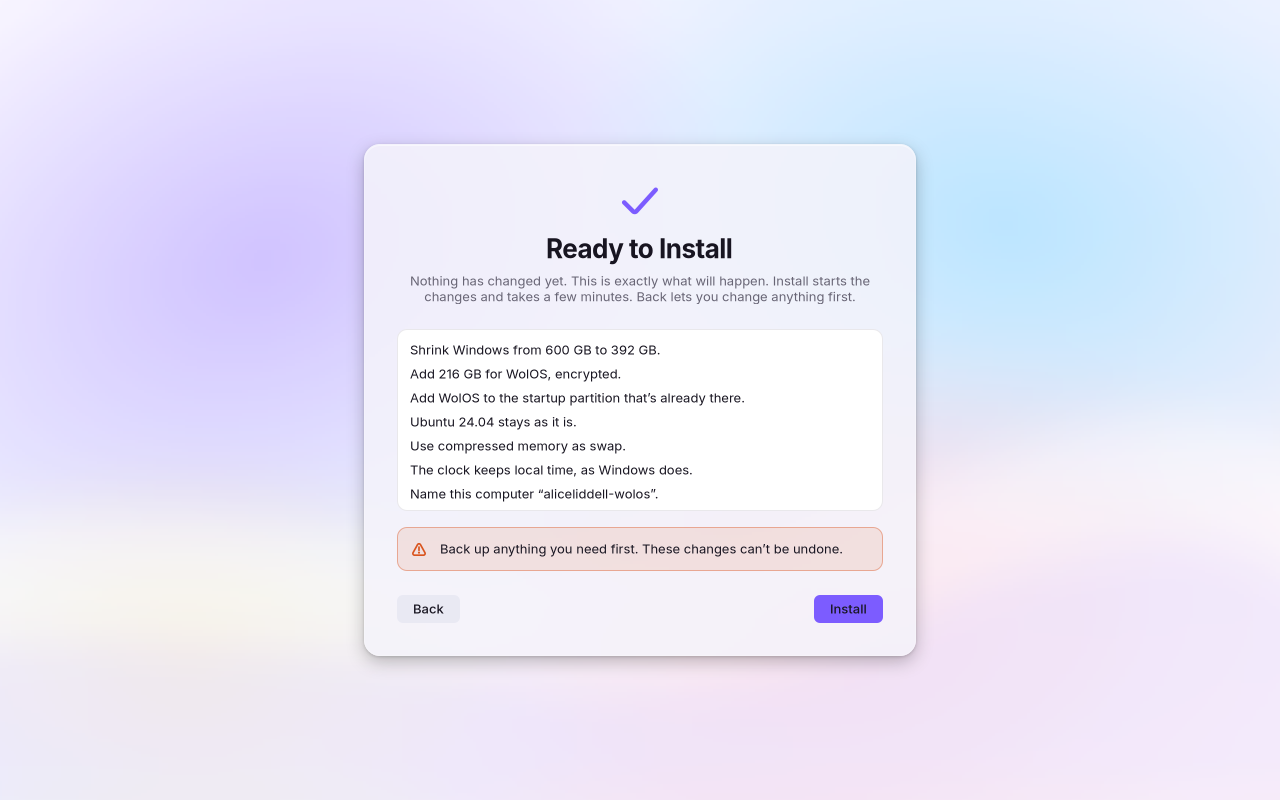
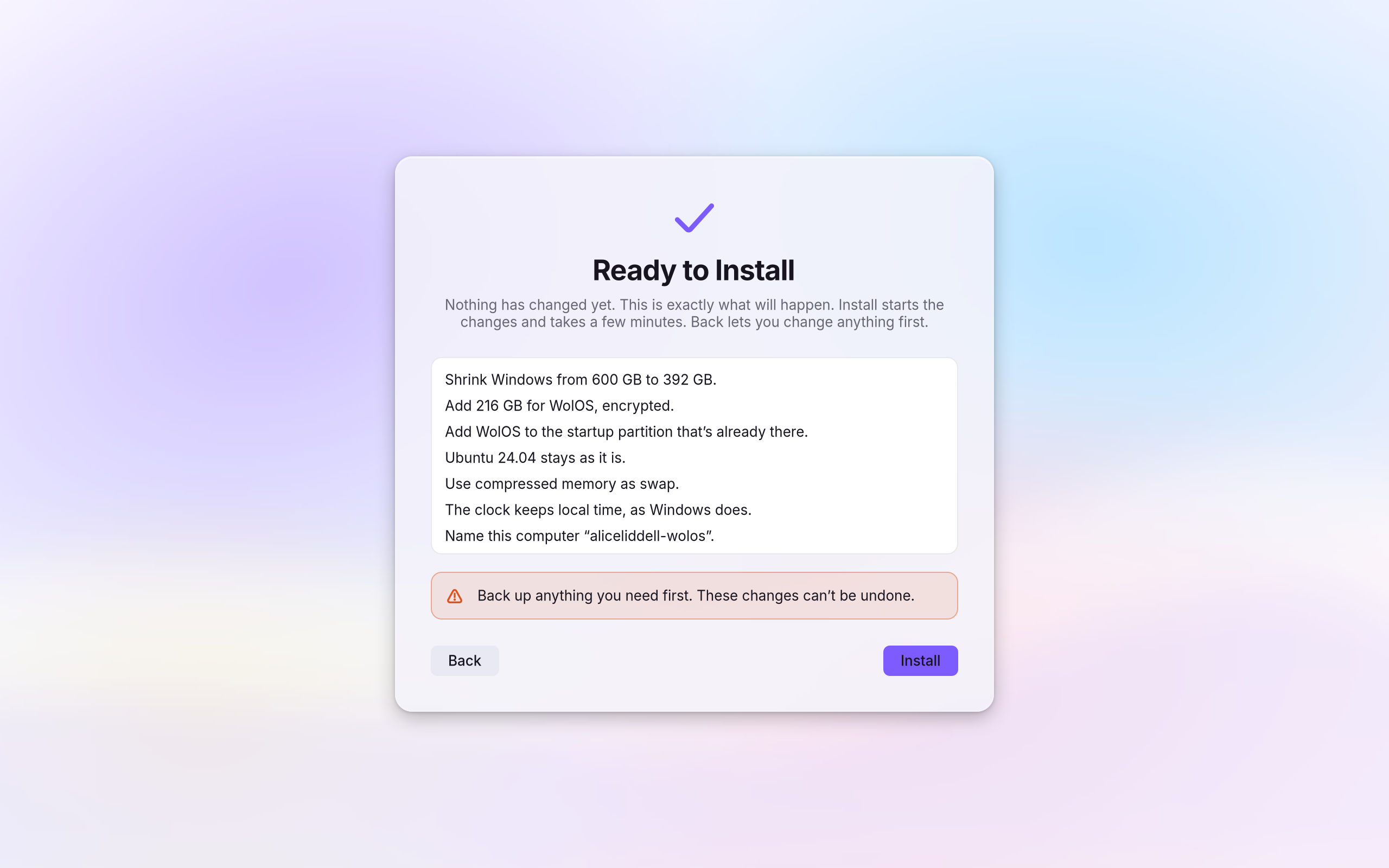
Windows stays exactly as it was.
We installed WolOS next to Windows, then compared Windows before and after. Not one byte had changed.
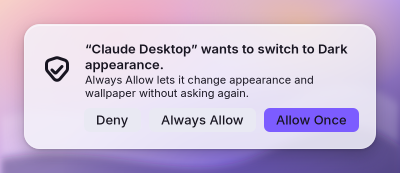
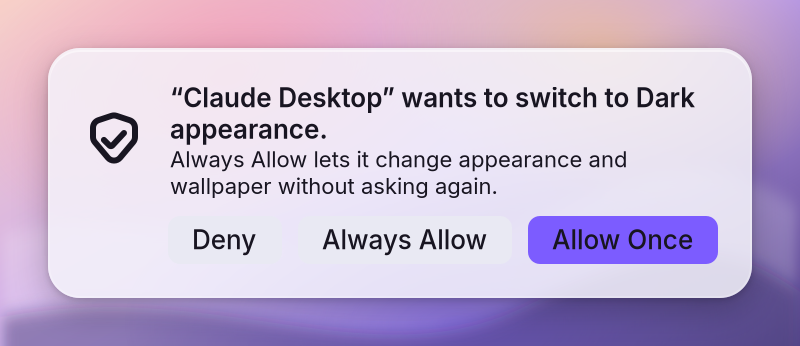
Nothing changes without asking.
When an app or an assistant wants to change something, WolOS asks you first and says who is asking. Press Deny, and nothing changes.
Three doors, one promise
Whatever you came to do, the PC gets out of the way.
Developers
Tick one box. Start building.
- A whole toolchain in one tick
- Cryswol: native apps in minutes, every WolOS call an object
- The same wol commands for you, your scripts and your helpers
Gamers
Your library. No interruptions.
- Steam is already installed
- Banners wait while you play full screen
- One command names the exact fix
Creatives
The tools, without the monthly bill.
- Nine creative apps in one tick
- Media formats one click away, off until you choose
- A microphone that does not clip on day one
The desktop
You already know how to use it.
A menu bar on top, a Dock below, Search for apps, files and settings, and a Control Center for Wi-Fi, sound and brightness.

 Files
Everything you came for
The PC disappears. What you came to do is all that is left.
Atlas, the WolOS browser
Light, ours, and with privacy on by default, so the web is yours to use, not to be watched.
Looks
Pick any picture and the whole desktop, every app and the lock screen take on its colours, always readable.
Web apps that feel native
The site you use every day becomes an app with its own window and icon, in the Dock and in Search.
Cryswol
Native apps in minutes: every WolOS call is an object in Crystal, a language that reads like a script.
Media formats in one click
MP3, AAC, H.264 and HEVC arrive with one click, and stay off until you choose them.
Plugins
Menu bar items, panels, tiles and hotkeys from one folder, in a sandbox that cannot change the system.
Apps
Every app, one command.
The Store and wopkg install from the WolOS and Arch repositories, Flathub, AppImages, recipes and community packages, with one search and one update. Community packages are checked against named laws before they build.
162 packages come on the image, from the kernel to the package tool, and WolOS makes or forks 21 of them.
~ $ wopkg sources
pacman[wolos], Archsystem, sealed live layer
flatpakFlathubyour account
appimageGitHub releases~/Applications, delta updates
recipeWolOS recipes~/.local
aurCommunity packages, checked firstsandboxed build, unreviewed
~ $ wopkg install krita
Just use it.
Start WolOS from a USB stick and try everything without touching your disk. Install it when you are ready, beside Windows or on its own.