
For developers
Tick one box. Start building.
You came to write code, not to configure a machine. The Developer module is a toolchain and a native language where every WolOS call is an object.
- What
- A module you tick in the installer, or add later with wol modules install dev: the tools you reach for first, Crystal, and Cryswol, the Crystal framework for WolOS apps.
- Why
- A new machine costs a day, and a native app usually means a language owned by a platform vendor. Crystal reads like a script and compiles to a native program, so the app you ship is not a browser in a window.
- How
- Tick Developer, open a terminal, write the first program. The Cryswol page walks through it in five minutes, with real code.
What you get
One tick, a toolchain
The Developer module installs git, the GitHub CLI, mise for every runtime, Code - OSS, lazygit, btop, zellij, rootless podman, jq, a coding font, Crystal with Cryswol, and a Work folder in your home. Nothing is ticked for you, and removing the module removes what it added.
Every WolOS call is an object
Cryswol gives an app windows, notifications, menus, the clipboard, preferences, file panels, power, network, sound, Search, accounts, messages, devices, sharing and background services as Crystal objects, with exceptions that carry WolOS's own sentence and blocks for callbacks. Never pointers.
No call goes unwrapped
Every function of the stable system interface has its Crystal wrapper, so the interface stays usable, not only stable. Apps in other languages keep the same C interface.
A UI in about 30 lines
The to-do app below is 30 lines with no colour, pixel, hex or markup in it: spacing and type are names from the design scale, colours are theme tokens, and a window follows the theme by itself.
Fast to rebuild
Change one line of a large app and it rebuilds in seconds, and a frame where nothing changes does no work at all.
The command line is the same API
wol is the one command for the system: modules, packages, themes, sessions, updates. Scripts and AI helpers use the same commands as you do, and every change they ask for shows an approval sheet that names the helper first.
An OS an agent can drive
An agent can start WolOS in a virtual machine, go through the installer, open apps and read the system log, step by step. The Crystal rules are one catalogue, checked on every file.
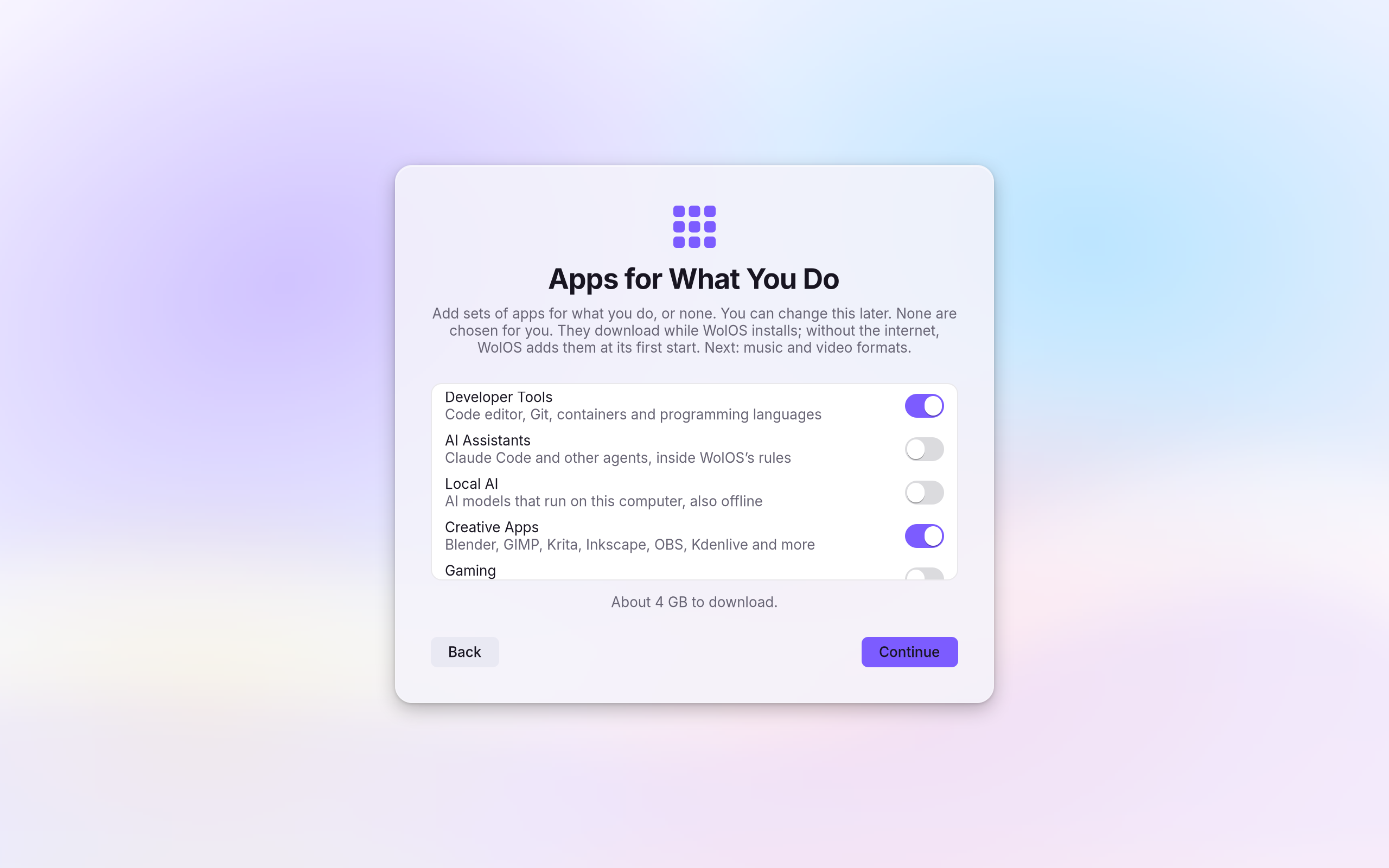
The module is one switch in the installer
The installer's Apps for What You Do page lists the modules. None is ticked for you. Each can be added later in Settings, and removed again with what it added.
A to-do app, all of it
A text field bound to a signal, a button that is disabled while the field is empty, a list with one row per to-do, and a count. That is the whole program.
require "wolkit"

class Todos < Wolkit::App
  @items = list(String)
  @draft = signal("")

  def view
    window "Todos", width: 420, height: 560 do
      column gap: :md, pad: :lg do
        row gap: :sm do
          text_field @draft, placeholder: "What needs doing?", grow: 1, on_submit: -> { add }
          button "Add", primary: true, disabled: @draft.blank?, on_click: -> { add }
        end
        each @items, key: ->(t : String) { t } do |todo|
          row { text todo, grow: 1; icon_button :trash, label: "Delete #{todo}", on_click: -> { @items.delete(todo) } }
        end
        text "#{@items.size} left", role: :caption
      end
    end
  end

  def add
    @items << @draft.value.strip unless @draft.blank?
    @draft.value = ""
  end
end
Wolkit.run TodosTick one box and you have a native language, a UI kit and every OS verb as an object. Your agent gets one rulebook, and you get your evening back.