
For gamers
Your library. No interruptions.
You sat down to play. Steam is already installed, a banner waits until the game is closed, and when something is missing one command names the exact fix.
- What
- Steam in the base system, full-screen games shown at once, banners held until you leave the game, and a doctor that checks what Steam needs.
- Why
- Mid-game restarts, pop-ups and a weekend of guides are what keep people from switching. The system should stay out of the way while you play.
- How
- Download WolOS, start Steam from the Dock, sign in. If it will not start, run wol games doctor in a terminal and follow the fix it prints.
What you get
Steam is already there
Steam and GameMode are part of WolOS, and gamescope ships for games that need a fixed resolution. Proton is installed and updated by Steam itself, so there is no compatibility tool of ours to learn.
Banners wait for the game
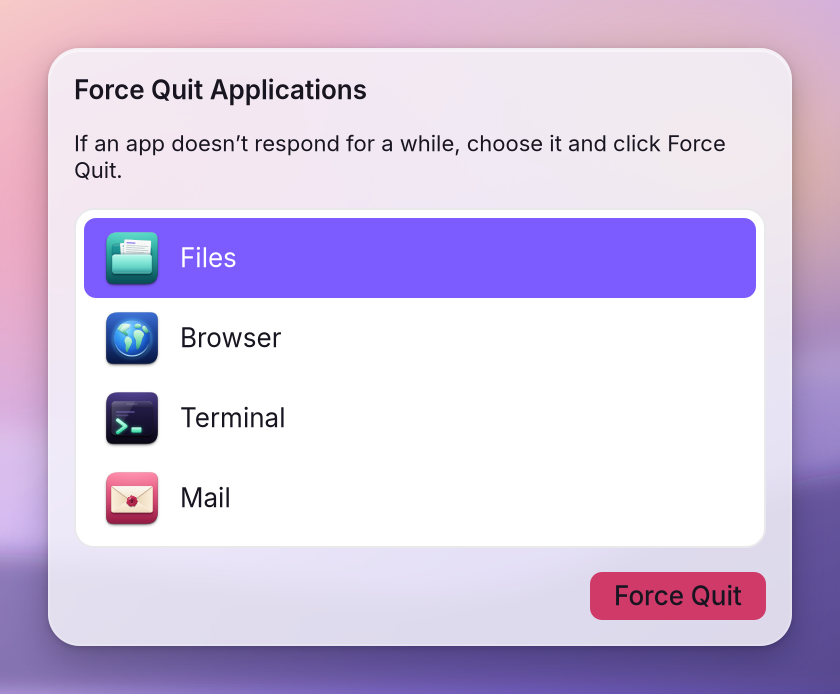
Notification banners wait while a game or video is full screen and show after you leave it. Force Quit and Overview open over a full-screen game, and Esc closes them.
One command names the fix
wol games doctor runs every check Steam needs (multilib, the graphics device, 32-bit Vulkan and OpenGL, the NVIDIA library version) and prints the exact fix beside each one that fails.
Full screen presents at once
Full-screen Steam and Proton games, programs started with Wine and other full-screen windows are shown immediately, not at the next refresh, and variable refresh turns on for full-screen windows only.
Waiting like Windows waits
WolKernel has the waits Wine and Proton use built in, the calls that let a game wait on many events at once. Each patch has its own off switch.
Sound that does not crackle
Steam, Wine and gamescope get the smallest sound buffer, about a millisecond, and a browser in the background cannot drag the sound down while you play.
Memory Saver leaves games alone
Background apps give memory back and take it again as they run, but never games, the frontmost app, or an app playing sound or video.
Windows programs outside Steam
The Gaming module adds Wine with Mono and Gecko, winetricks, Lutris for games outside Steam, and the MangoHud overlay. Tick it in the installer or run wol modules install gaming.
Force Quit opens over a full-screen game
When a game hangs, Force Quit opens on top of it. Choose the app, press Force Quit, and the game is gone without a restart. Esc closes the window if you change your mind.
Your Steam library, on an operating system that never interrupts a game, and a doctor that tells you exactly what to fix if something is missing.