
For creatives
The tools, without the monthly bill.
You sat down to make something. Nine creative apps come in one tick, the formats you need are one click away, and a new microphone does not start clipping.
- What
- The Creative module for the apps, the Media Codecs Kit for the formats, and a sound system tuned for recording and streaming.
- Why
- Renting the tools of your trade by the month, and files that will not open, are the computer asking for something before you can work.
- How
- Tick Creative Apps in the installer, then open Krita, darktable or Kdenlive from the Dock. Add the formats from the Store, in Kits, when you decide you want them.
What you get
Nine apps in one tick
The Creative module installs Blender, GIMP, Krita, Inkscape, OBS Studio, darktable, Kdenlive, Ardour and Audacity, with colour management and a low-latency audio profile. Nothing is ticked for you, and removing the module removes what it added.
Media formats, one click, off until chosen
The Store's Media Codecs Kit adds MP3, AAC, H.264, HEVC, AC3 and fonts, and says what each is for. It says plainly: some of these formats are patented in some countries, and you choose whether to add them.
A microphone that does not clip
100% on a volume slider is the device's own 0 dB, not its hardware maximum, so a new microphone does not start with +20 to +30 dB of boost. Louder is a choice you make.
A buffer for the job
Settings > Sound > Pro Audio: 64 frames (1.3 ms) for monitoring through a recording program, 256 for a stream, automatic for everything else.
Record and stream
OBS Studio is in the module, and a separate game track keeps the game and your voice apart. Sound for creators walks through buffers, OBS and recording programs.
Your colours, everywhere
Looks turns any picture into a theme: the desktop, your apps and the lock screen take on its colours, and every pairing stays readable.
Ticked once, in the installer
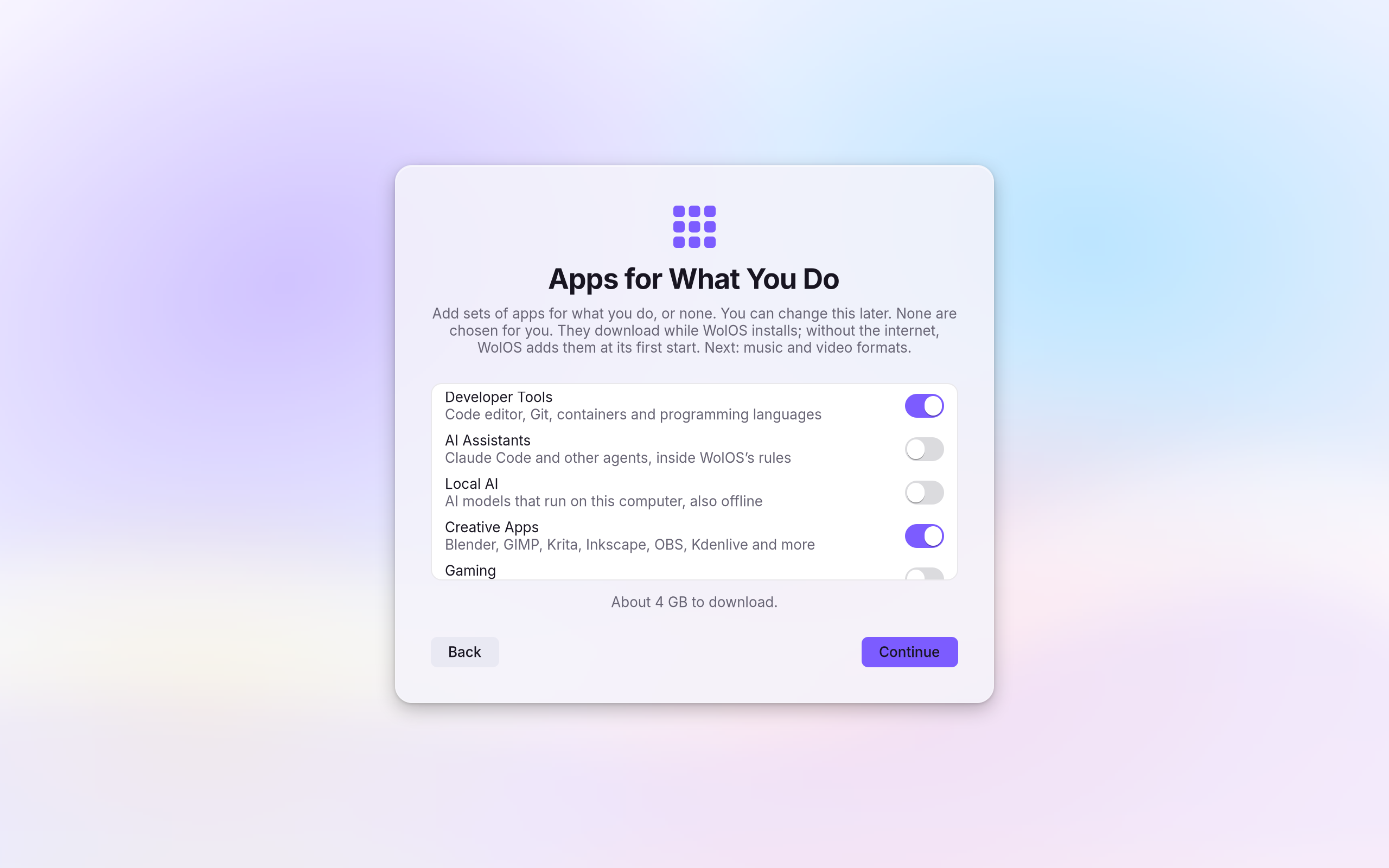
Creative Apps is one switch on the installer's Apps for What You Do page. It downloads while WolOS installs; offline, WolOS adds it at its first start with a network. The page after it offers the music and video formats.
The job, and the open app for it
What you do, and which app in the Creative module does it. The Store lists more, from every source.
| The job | In the Creative module |
|---|---|
| Photo editing and retouching | GIMP, Krita |
| Digital painting | Krita |
| Vector illustration | Inkscape |
| RAW photos and a photo library | darktable |
| Video editing | Kdenlive, Blender |
| Motion graphics and compositing | Blender |
| 3D | Blender |
| Music and audio production | Ardour, Audacity |
| Streaming and screen recording | OBS Studio |
The tools you need, without the monthly bill: nine creative apps in one tick, the formats one click away, and a microphone that does not clip on day one.