
Reference · Desktop and system
Games
Native Steam with Proton, and Windows programs outside Steam on Wine.
On this page
What it is
Steam is already part of WolOS. Windows games run through Steam's own compatibility tool (Proton), which Steam installs and updates itself; it translates what a Windows game asks for into what WolOS understands, the way a travel adapter fits a plug to a socket. A Windows program you download yourself opens with a double-click through the Windows program runner (Wine), or umu-launcher when Wine is not installed. This page is the reference; the task guides are Steam and your game library, Playing full screen and When a game will not start.
Why
Proton is where game compatibility work happens, so WolOS does not ship its own layer on top. What WolOS adds is a check of everything Steam needs (32-bit graphics libraries, the Vulkan driver, NVIDIA's matching userspace) so a missing piece is a sentence with a fix, not a silent crash.
How
Open Steam. Press Super+Space, type
steamand press Return, or find it in the Store under Play. You see Steam download the rest of itself the first time; it opens when it is ready.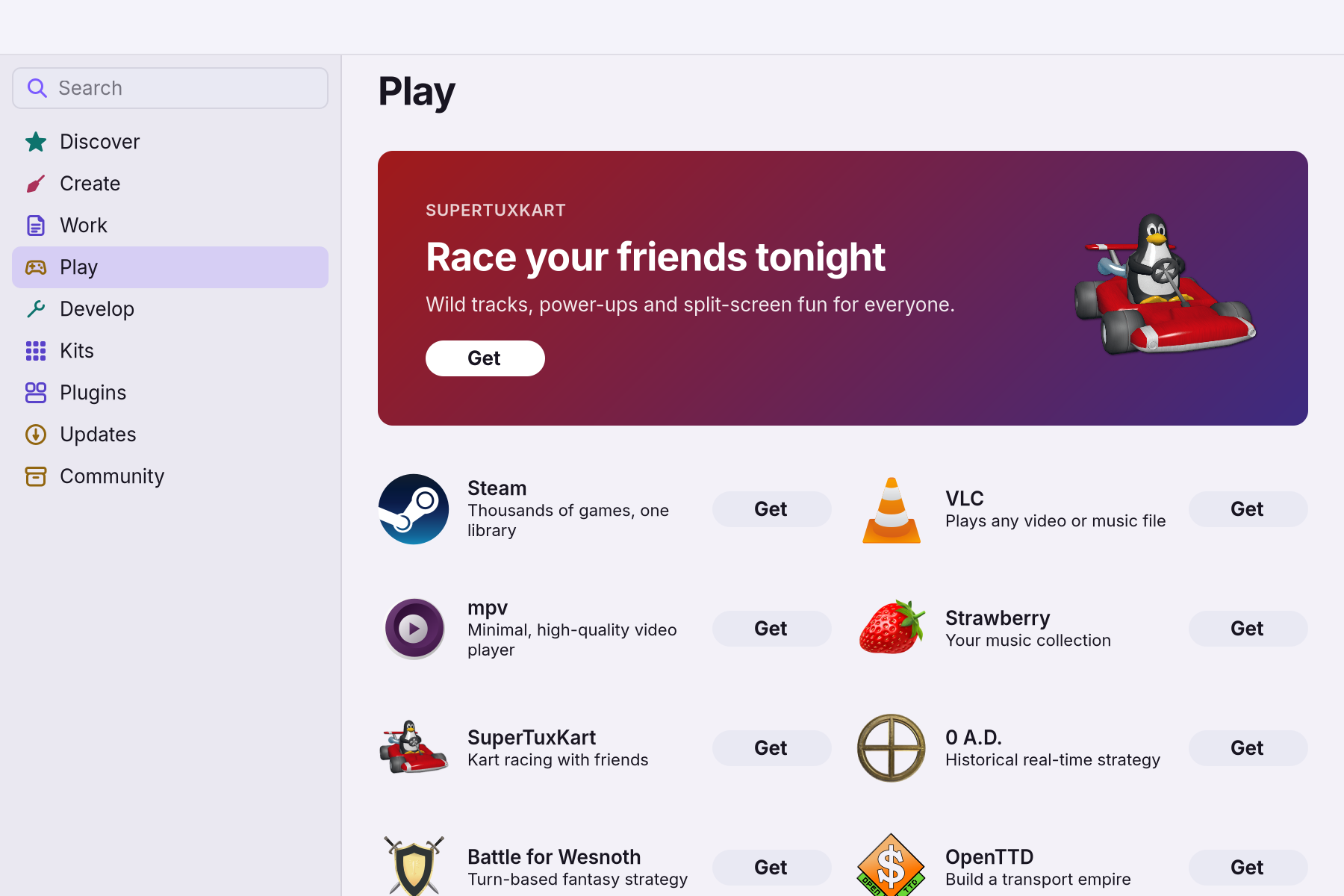
- Sign in and play. Windows games run through the compatibility tool, which Steam installs and updates itself.
- Play full screen. Banners wait until you leave the game, frames go to the screen at once, and Force Quit (Alt+Super+Esc) still opens over it. See Playing full screen.
- For a Windows program outside Steam, double-click the
.exe. It opens through Wine, or umu-launcher when Wine is not installed; the Gaming module adds Wine. - If a game will not start, run
wol games doctor. You see every check; each failed one prints the command that fixes it. See When a game will not start.
If something goes wrong
| What you see | What to do |
|---|---|
| A game or Steam will not start | Run wol games doctor: every failed check prints the command that fixes it, and it exits with 1 when one fails. |
multilib fails | The 32-bit repository is off in /etc/pacman.conf. Enable it and run pacman -Sy. |
lib32-gl or Vulkan checks fail | The client is 32-bit and needs a 32-bit Vulkan loader and driver (lib32-vulkan-icd-loader, lib32-mesa, or your vendor's lib32 driver). |
nvidia fails | lib32-nvidia-utils is missing or not the running driver's version: pacman -S lib32-nvidia-utils. |
drm fails | There is no /dev/dri; run wol hw status. |
| Proton falls back to esync or fsync | The kernel lacks futex-waitv or ntsync. This is only a warning; WolKernel has them. |
| A Windows program does not start | Wine is needed for programs outside Steam; the doctor lists it as info. |
| Steam looks half size on a HiDPI screen | wol games steam tells Steam the largest monitor scale. Start Steam that way (the Dock and Search entry does). |
Related
Steam and your game library · Playing full screen · When a game will not start · Optional modules (Gaming) · Hardware and drivers · WolKernel
Reference
Steam is the native Arch package from [multilib] (ADR 0016). Windows games run on Proton, which Steam installs and updates itself. There is no custom compatibility tool and no Linux ABI shim. For Windows programs outside Steam, wol-run --exe uses the native wine package (/usr/bin/wine, WoW64) and falls back to umu-launcher (/usr/bin/umu-run, multilib) when wine is not installed.
Pieces
| Piece | Code | Does |
|---|---|---|
wol games steam [url] | crates/controller/src/games.rs | checks what the client needs; first start: a notification; then /usr/bin/steam [url] |
wol games doctor [--json] | crates/core/src/games/doctor.rs | every check with the exact fix; exits 1 when one fails; JSON when not a TTY |
/usr/bin/wol-run --exe <file> ... | crates/proxy/src/exe.rs | opens a .exe (.msi through msiexec /i) with one prefix per program; wine gets DXVK/vkd3d-proton copied from a Proton in the Steam library, umu brings its own |
steam.desktop | desktop/overlay/.../applications | Apps, Search, App Store "Open", steam:// links: wol games steam %u |
| Notifications | crates/core/src/games/notice.rs | what a Dock or Apps start says; bodies pass shell::copy::lint |
Doctor checks
| Check | Fails when | Fix |
|---|---|---|
base (info) | never: names the WolOS base (os-release) and whether the kernel is linux-wolos | another kernel is reported and kept |
multilib | [multilib] off in /etc/pacman.conf | enable it, pacman -Sy |
steam | no /usr/bin/steam | pacman -S steam |
drm | no /dev/dri | wol hw status |
lib32-gl | no 32-bit Vulkan loader or OpenGL (the client is 32-bit) | lib32-vulkan-icd-loader, lib32-mesa, vendor lib32 driver |
vulkan-icd, vulkan | no ICD in /usr/share/vulkan/icd.d, or only llvmpipe | vendor Vulkan packages |
nvidia | lib32-nvidia-utils missing or not the running driver's version | pacman -S lib32-nvidia-utils |
futex-waitv, ntsync (warn/info) | kernel lacks them: Proton falls back to esync/fsync | none |
wine (info) | not installed | only for programs outside Steam |
The client starts only when multilib, steam, drm, lib32-gl and nvidia pass (doctor::STEAM_CLIENT).
Display and presentation (audit X1)
Steam, Wine and most native games are X11 clients and run through Xwayland. Xwayland renders them 1:1 (xwayland:force_zero_scaling in hypr/wolos-perf.conf). On a HiDPI screen they would be half size, so they are told the scale instead. wol games steam adds STEAM_FORCE_DESKTOPUI_SCALING=<largest monitor scale> when it is not 1 (wol_core::games::steam::ui_scale). wol-x11-env also exports it, with GDK_SCALE, to the systemd user environment, and Dock and Apps launches pass both on (shell::kit::scale_env).
Fullscreen games present immediately (tearing allowed: general:allow_tearing), not at the next vblank. Three window rules in wolos-perf.conf do this:
| Rule | Matches |
|---|---|
wol-game-immediate | Steam and Proton games (steam_app_<id>) |
wol-wine-immediate | Windows programs started with wine outside Steam (class ends in .exe) |
wol-xwayland-fullscreen-immediate | any other fullscreen X11 window (native, GOG, itch). A fullscreen X11 video player tears too. |
misc:vrr = 2 turns VRR on for fullscreen windows only. xwayland:use_nearest_neighbor scales a game's lower fullscreen mode sharp, not blurred.
The image ships gamescope for Steam's gamescope %command% launch option and for games that need a fixed resolution. Memory Saver treats it as a game process.
Related
- Optional modulesAI, developer, creative and console stacks, installed after the base and removable.
- Hardware and driversOne catalogue decides the driver, firmware and options for each device.
- The wol commandEvery wol command, what it does, and which ones helpers may call.
- 0036: Crystal is the userland languageOne language for apps, tools and integrations, with generated bindings over the stable C ABI.
- libwol: the app APIOne stable C ABI for apps in any language: windows, menus, notifications, files, power and more.
From the developer documentation, wonderlandos/wolos docs/modules/games.md.