
Developers
Your first app in Crystal
Write, build and run a small WolOS app in Crystal with Cryswol: it reads the system, tries to post a notification, and handles a refusal the way every app must.
On this page
What it is
A WolOS app can be one file. This page walks through a twelve-line program in The programming language WolOS's own apps and tools are written in. It reads like Ruby and runs fast., the language WolOS apps are written in. It reads like a script and builds into a normal program. The program uses The library that lets a program written in Crystal use WolOS: windows, notifications, files and the rest., the Crystal library that speaks to WolOS for you: it opens a connection to the system, asks what the system is called and whether it is light or dark, and tries to post a A short message from an app or from WolOS. It shows for a moment as a banner at the top right, then waits in Notification Center.. Think of Cryswol as the app's phone line to WolOS: the app asks, WolOS answers, and WolOS decides what the app may do.
Why
WolOS gives apps one way in: a stable system library, and Cryswol on top of it for Crystal. An app never needs administrator rights to talk to the system, and it never reaches around the rules: before it does something personal, such as showing notifications, the person using it decides. For you as a developer that means no memory handling and no error codes: you get Crystal objects, and a refusal arrives as an error that carries WolOS's own sentence, ready to show to a person.
How
Before you start: add the Developer module, which brings Crystal and Cryswol. See Set up for development.
Make a folder for the project in Terminal:
mkdir -p ~/Work/hello && cd ~/Work/helloWrite the program. Open the editor (
code hello.cr, or any editor) and save this ashello.cr:require "cryswol" Wol::Context.open("org.example.hello") do |ctx| info = Wol::System.info(ctx) puts "Hello from #{info.os_name}, in #{info.appearance} mode" begin Wol::Notification.post(ctx, "Hello", "My first WolOS app") puts "Notification sent" rescue e : Wol::PermissionDenied puts e.message end endWol::Context.openconnects to WolOS under an app id, a name that is yours alone (hereorg.example.hello), and closes the connection when the block ends.Build it. Crystal needs to know where the system's Crystal libraries live:
CRYSTAL_PATH="/usr/lib/wolos/crystal:$(crystal env CRYSTAL_PATH)" crystal build hello.crYou see no output and a new program called
helloin the folder. The first build takes a little while; later ones are quicker.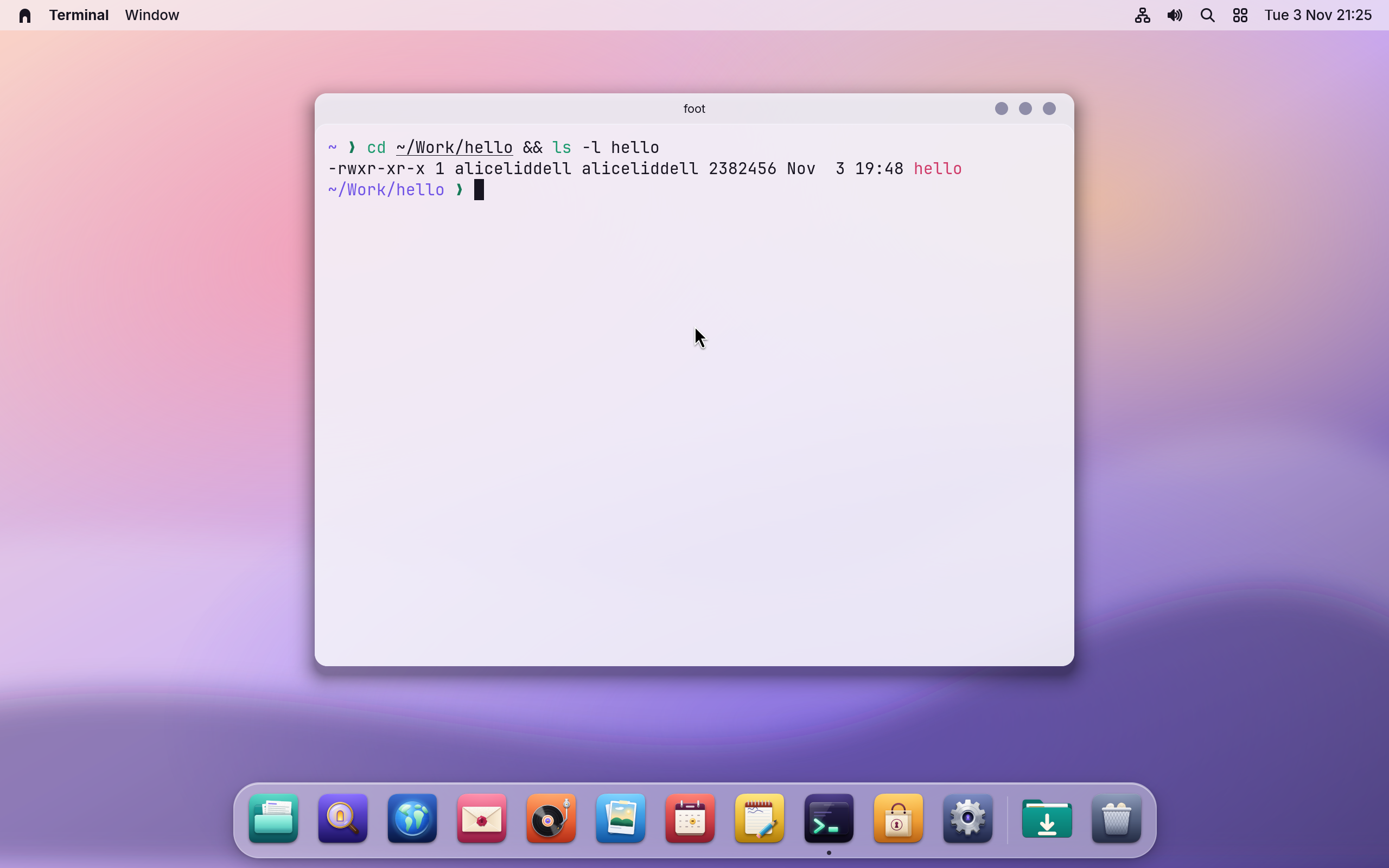
Run it:
./helloYou see Hello from WolOS, in Light mode (or Dark), printed by your program, and then WolOS's own sentence: Notifications are off for hello. Turn them on in System Settings > Privacy & Security. A new app may not show notifications until the person allows it, and the
rescueturns that refusal into a line of text instead of a crash.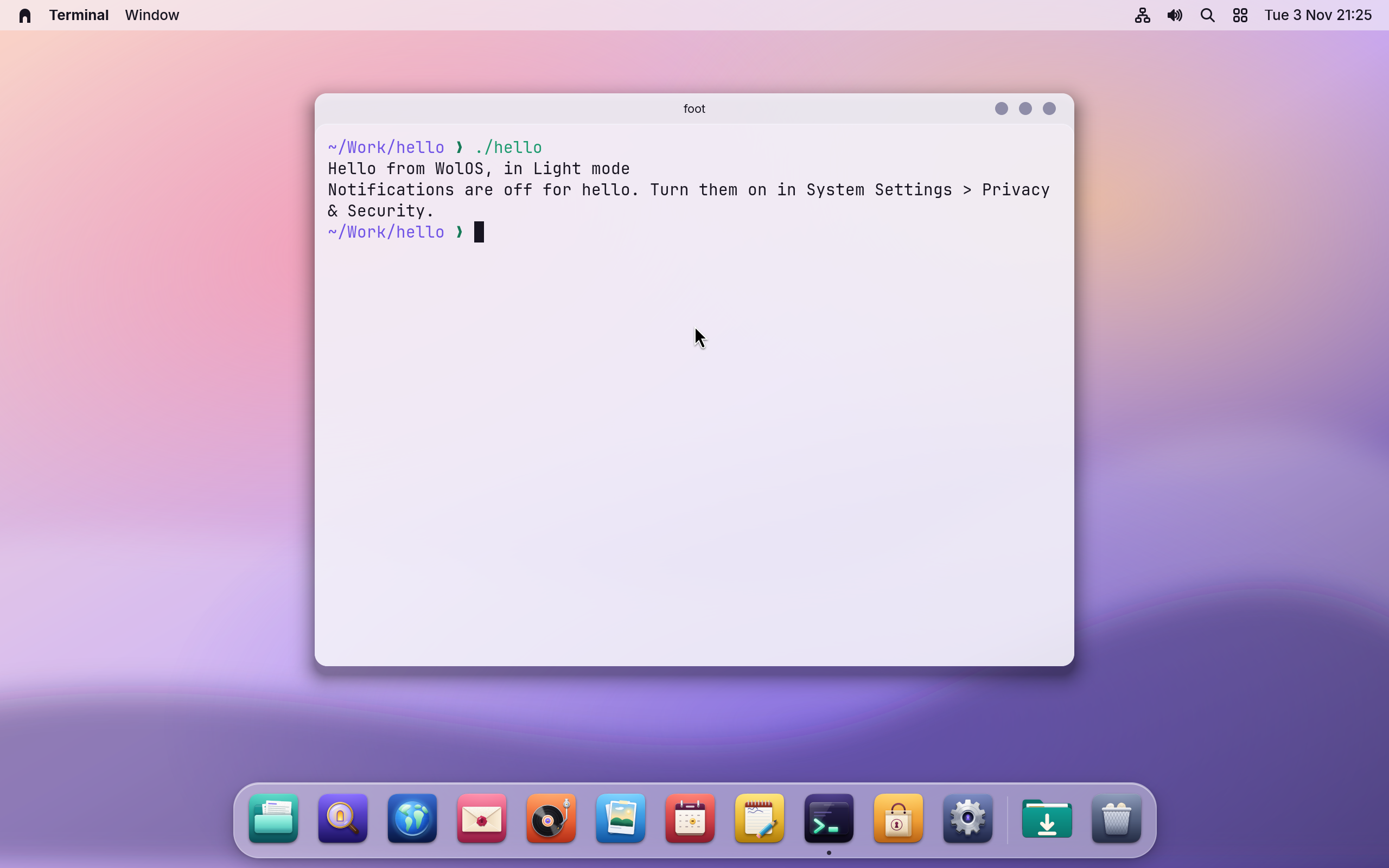
Look at Privacy & Security. Open Settings > Privacy & Security. You see "No app has extra access" under Privacy: the pane lists apps that already hold a One thing an app may do, such as use the camera or read your files. You allow or deny it, and can change your mind in Settings., and a brand-new app like
hellohas none. The program above shows the part every app needs anyway: a refusal arrives as an error with a sentence you can show to the person.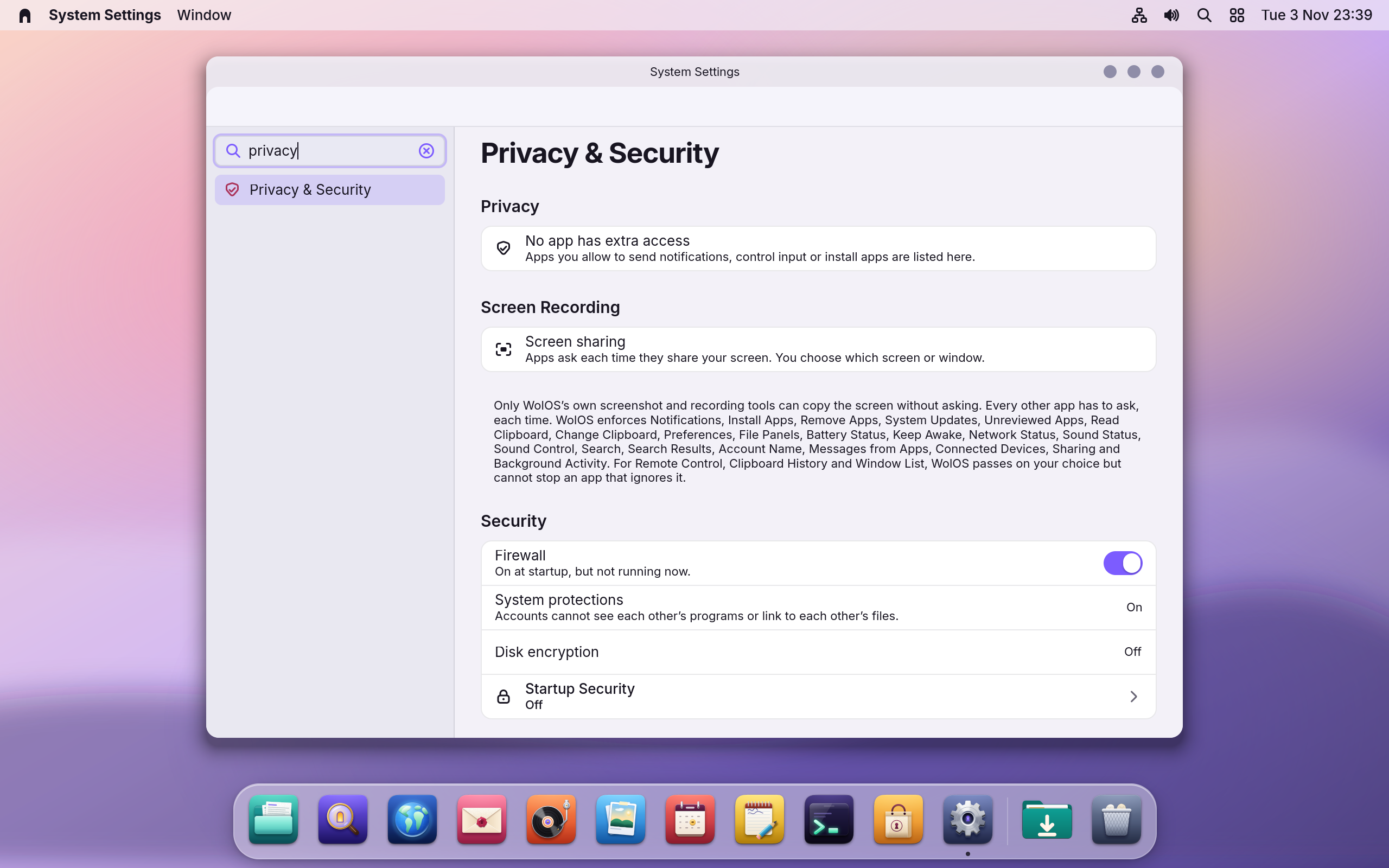
What you just used
| Line | Does |
|---|---|
require "cryswol" | Loads Cryswol. Everything is under the name Wol. |
Wol::Context.open(...) do |ctx| | One connection to WolOS for this app, closed for you at the end. |
Wol::System.info(ctx) | What the system is: its name, the kernel, light or dark, the accent colour. |
Wol::Notification.post(ctx, title, body) | A notification, if the person allowed it. |
rescue e : Wol::PermissionDenied | What to do when the person has not allowed it: here, print WolOS's sentence. |
Cryswol covers much more: windows, menus, the clipboard, saved preferences, open and save panels, power, network, sound, Search, messages between apps and background services. The Cryswol page lists every one with the permission it needs.
Next: a window
For an app with a window, buttons and lists, follow Your first Wolkit app. Wolkit is the WolOS kit for app windows; it is in preview.
A worked example
Alice builds the twelve-line program and runs it. It prints the name of her system and whether it is light or dark, then asks to post a notification. A sheet asks her whether to allow it; she clicks Don't Allow. The program prints the sentence WolOS gave with the refusal and carries on without crashing, which is exactly how every app is meant to behave.
If something goes wrong
| What you see | What to do |
|---|---|
crystal: command not found | Add the Developer module: wol modules install dev. |
can't find file 'cryswol' | The build line is missing CRYSTAL_PATH. Copy step 3 as it is. |
Unhandled exception: Notifications are off for hello. | The program has no rescue for Wol::PermissionDenied. Add it as in step 2, and show the sentence to the person using your app. |
Wol::Unavailable | The WolOS system service is not answering, for example in a plain console without a desktop session. Run the program from Terminal on the desktop. |
Wol::UsageError | The program used something after its connection was closed, or outside the block it belongs to. This is a bug to fix in the code; it is never shown to a person. |
| The app starts here but not on another computer | It was built against a newer system library. When you package it, say which version it needs (depends=(libwol>=1.N)). |
Related
Set up for development · Cryswol · Your first Wolkit app · Privacy and permissions · The terminal and the wol command
Related
- Cryswol and Wolkit: apps made for WolOSWhat Cryswol, Wolkit and Crystal are, how they fit together, where to start, and where the complete developer documentation lives.
- Set up for developmentThe Developer module adds Git, a code editor, containers, runtimes for every language and Crystal with Cryswol in one step, and makes ~/Work for your projects.
- Privacy and permissionsWhat apps may use and how you allow it, the questions WolOS asks on screen, the firewall and the malware check, and where to take any permission back.
- Plugins: add to the desktop itselfWeather in the menu bar, a timer in Control Center, a clock on the desktop: get a plugin in the Store, see what it asks for, turn it on and off, and make your own.
- Scripts and shellsRun sh, bash and Ruby scripts with wol script: checked before they run, as you, every change asked on screen and every run recorded. And choose the shell new terminal windows open in, PowerShell included.