
Everyday
Music and video formats
Play and make MP3, AAC, H.264, HEVC and AC3 files, and get the common fonts, with one click in the installer or the Store. Never added without you.
On this page
What it is
A format (or The way sound or video is packed into a file or sent to a device. A player needs the right codec to play a file.) is the way a song or a video is packed into a file. Most music, phone videos and films use a handful of them: MP3, AAC, H.264, HEVC and AC3 (Dolby Digital). WolOS adds all of them, plus the fonts most documents and web pages expect, in one step called Media Codecs. It is a A set of packages for one job that the Store installs in one step, such as Media Codecs.: a set of extras the The App Store on the desktop: apps picked for you, Kits and plugins, each installed with one click. adds together. You find it in two places: the installer's page Music and Video Formats, and the Store's Kits.
Why
Some of these formats are patented in some countries, so whether to add them is your choice, not ours. WolOS never adds them on its own, and it never hides them behind a search either: one switch, a line for each format that says what it is for, and a sentence about the patents. Then your files just open.
How
While you install WolOS
On the page "Music and Video Formats", turn on Add Media Formats. You see what each format is for (MP3: Music files and podcasts, H.264: Most videos on the web and from cameras, and so on) and the sentence Some of these formats are patented in some countries. You choose whether to add them.
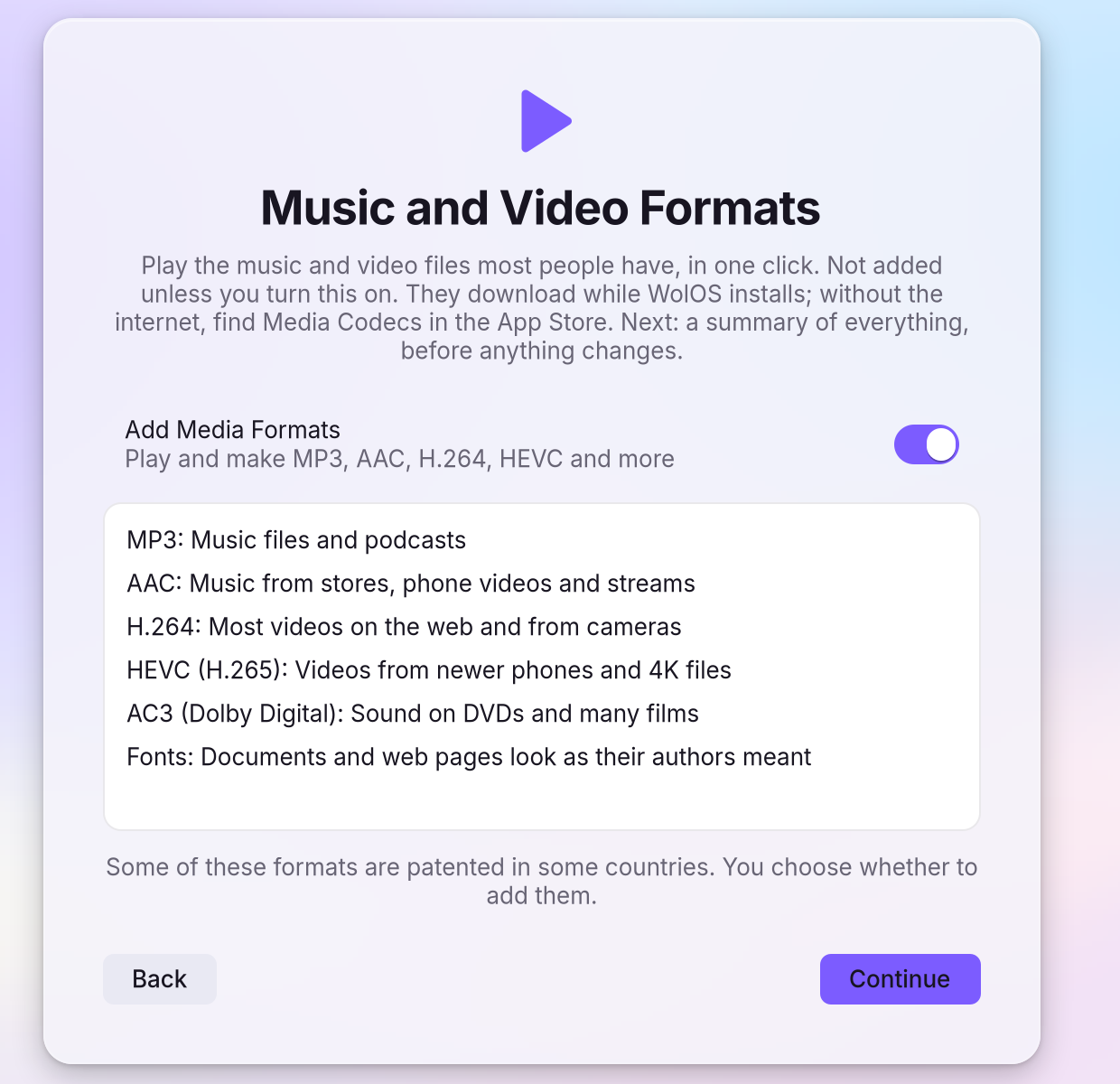
- Continue. The formats download while WolOS installs. Without the internet, the summary says they will be added "at first start with a network", and the Store's Kits page has them too.
On a WolOS that is already installed
Open the Store and choose Kits in the sidebar. You see Media Codecs (Play and make MP3, AAC, H.264, HEVC and more) with a Get button, and what each format is for.
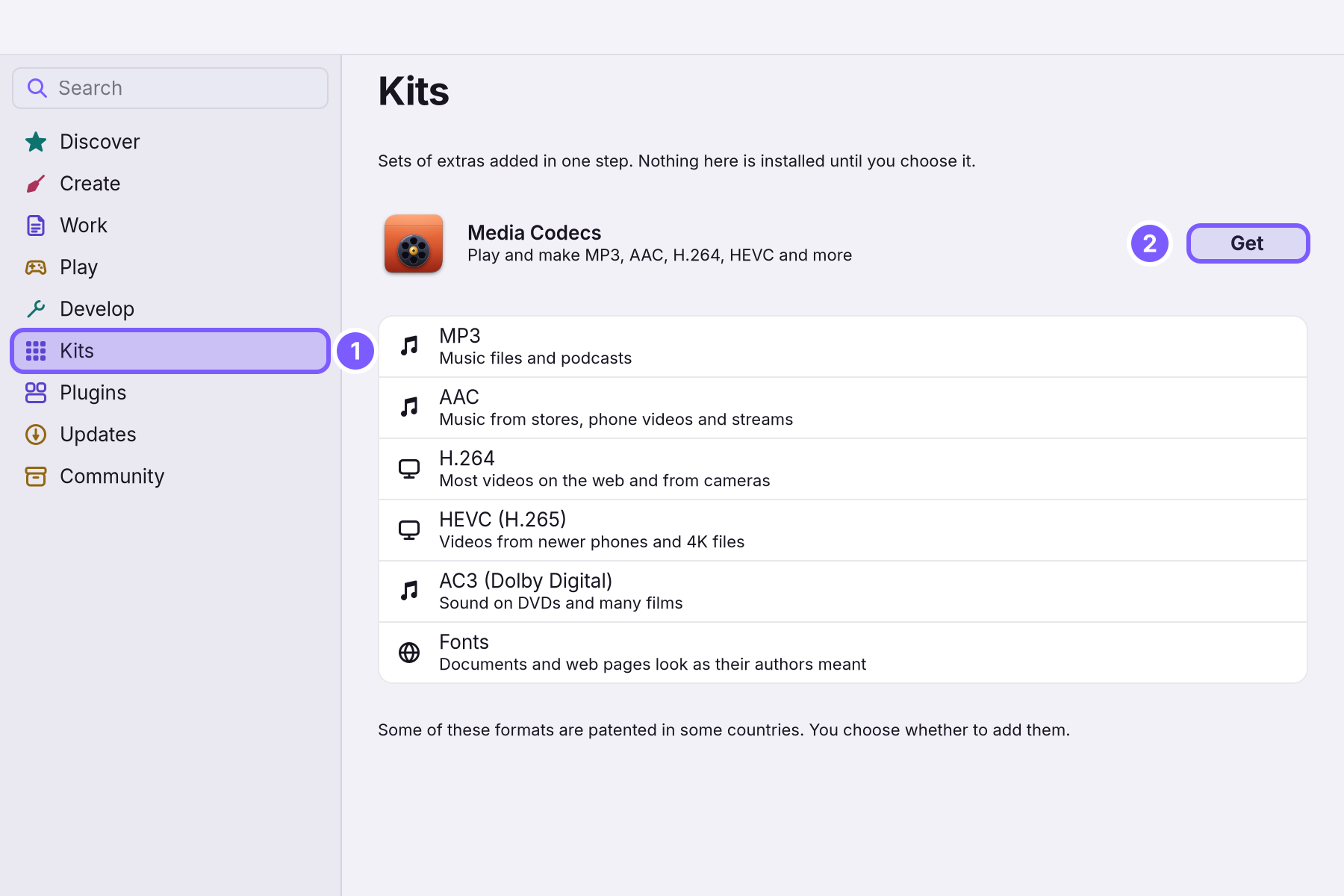
- Click Get. You see a password sheet: adding packages for every account needs an administrator. Type your password and click Allow.
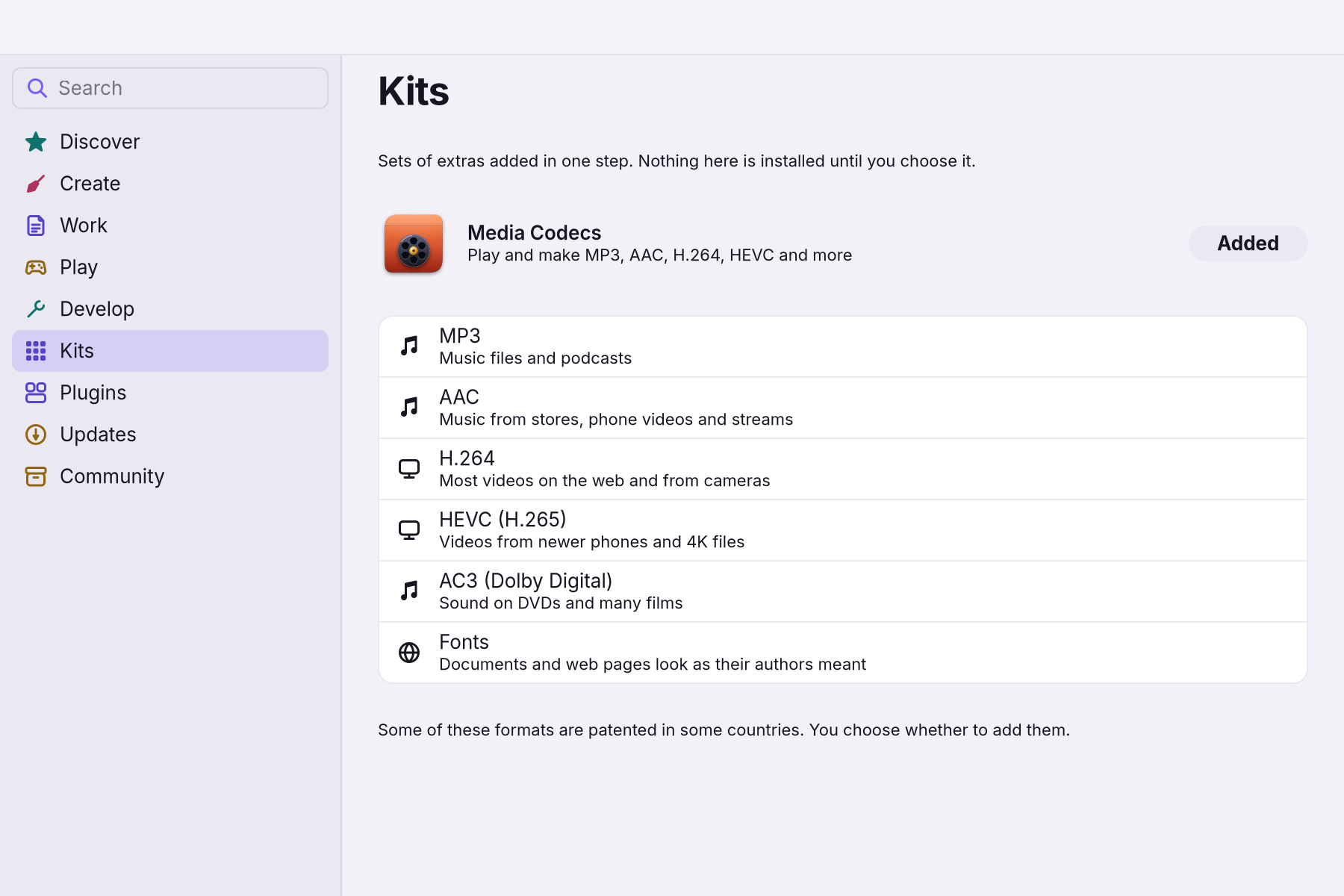
Wait for Added. You see the button change to Added. Files that did not open before now open in the music and video apps, the browser and the creative apps.
What each part is for
| Part | You need it for |
|---|---|
| MP3 | Music files and podcasts |
| AAC | Music from stores, phone videos and streams |
| H.264 | Most videos on the web and from cameras |
| HEVC (H.265) | Videos from newer phones and 4K files |
| AC3 (Dolby Digital) | Sound on DVDs and many films |
| Fonts | Documents and web pages look as their authors meant |
A worked example
Alice's phone video opens with sound but no picture. She opens the Store, chooses Kits and clicks Get on Media Codecs. She types her password, clicks Allow and waits for the button to read Added. The same video now plays, and so do the MP3s her sister sent.
If something goes wrong
| What you see | What to do |
|---|---|
| A video opens with sound but no picture, or does not open | The Kit is not added yet. Open the Store > Kits and check that Media Codecs says Added. |
| Settings > Modules lists AAC, H.264, HEVC (H.265), AC3 (Dolby Digital) under Could Not Be Added | You ticked the formats in the installer, but they could not be downloaded after several tries. Check that you're online and click Retry. |
| Get does nothing offline | The Kit downloads its parts. Connect to a network and try again. |
| A file still will not play after the Kit is added | Some files use rarer formats. Try another player from the Store's Play page, such as VLC or mpv. |
Related
[Creative apps in one step](/manual/creative-An optional set of tools for one kind of work (development, creative work, gaming, AI) that you add or remove in Settings > Modules.) · Store · Installing WolOS · Modules
Related
- Creative apps in one stepThe Creative module adds nine apps for drawing, photos, video, 3D, streaming and music in one step, with colour management and low-latency sound.
- The StoreFind an app, get it with one click, keep it up to date or go back to the version before, add a Kit, and remove what you no longer use.
- Installing WolOSErase a disk, share it with Windows or Linux, or lay out partitions by hand. Nothing is written before you confirm the summary.
- Modules: tools for what you doDeveloper tools, AI assistants, creative apps, games and a richer terminal, each added in one step from Settings > Modules and removed in one step.
- Creatives