
Everyday
Creative apps in one step
The Creative module adds nine apps for drawing, photos, video, 3D, streaming and music in one step, with colour management and low-latency sound.
On this page
What it is
The Creative module is a set of apps for making things, installed together in one step: Blender (3D and animation), GIMP (photo editing), Krita (painting), Inkscape (vector drawing), darktable (RAW photos), Kdenlive (video editing), OBS Studio (streaming and recording), Ardour (music production) and Audacity (sound editing). It also adds colour management and the pieces that let music apps use the smallest sound The delay between sound being made and you hearing it. Low latency matters when you record or play music.. A An optional set of tools for one kind of work (development, creative work, gaming, AI) that you add or remove in Settings > Modules. is a bundle of apps WolOS keeps as one unit: you add it in one step, and you can remove it in one step (Modules).
Why
Most people who make things need several of these tools, not one, and they should not pay a monthly fee for each of them. Installing nine apps one by one is a chore, and the sound pieces music apps need are easy to forget. So WolOS keeps them as one set. It is never ticked for you, because not everyone needs 1.3 GB of creative tools; you choose it when you want it.
How
While you install WolOS
On the page "Apps for What You Do", turn on Creative Apps. You see "Blender, GIMP, Krita, Inkscape, OBS, Kdenlive and more" under it, and the download size under the list.
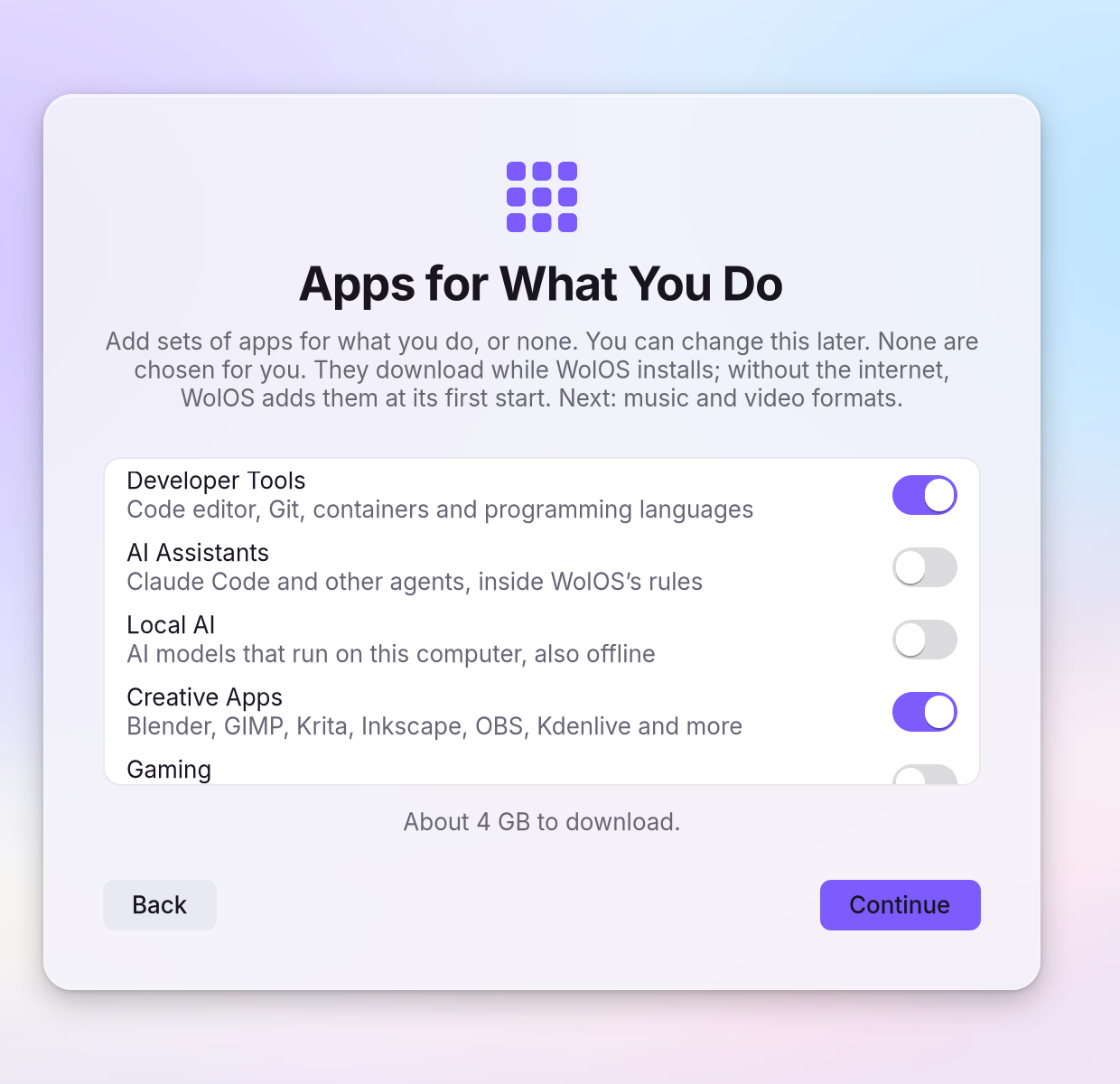
- Finish the install. The apps download while WolOS installs. Without the internet, WolOS adds them at its first start with a network.
On a WolOS that is already installed
Open Settings > Modules and click Install next to Creative.
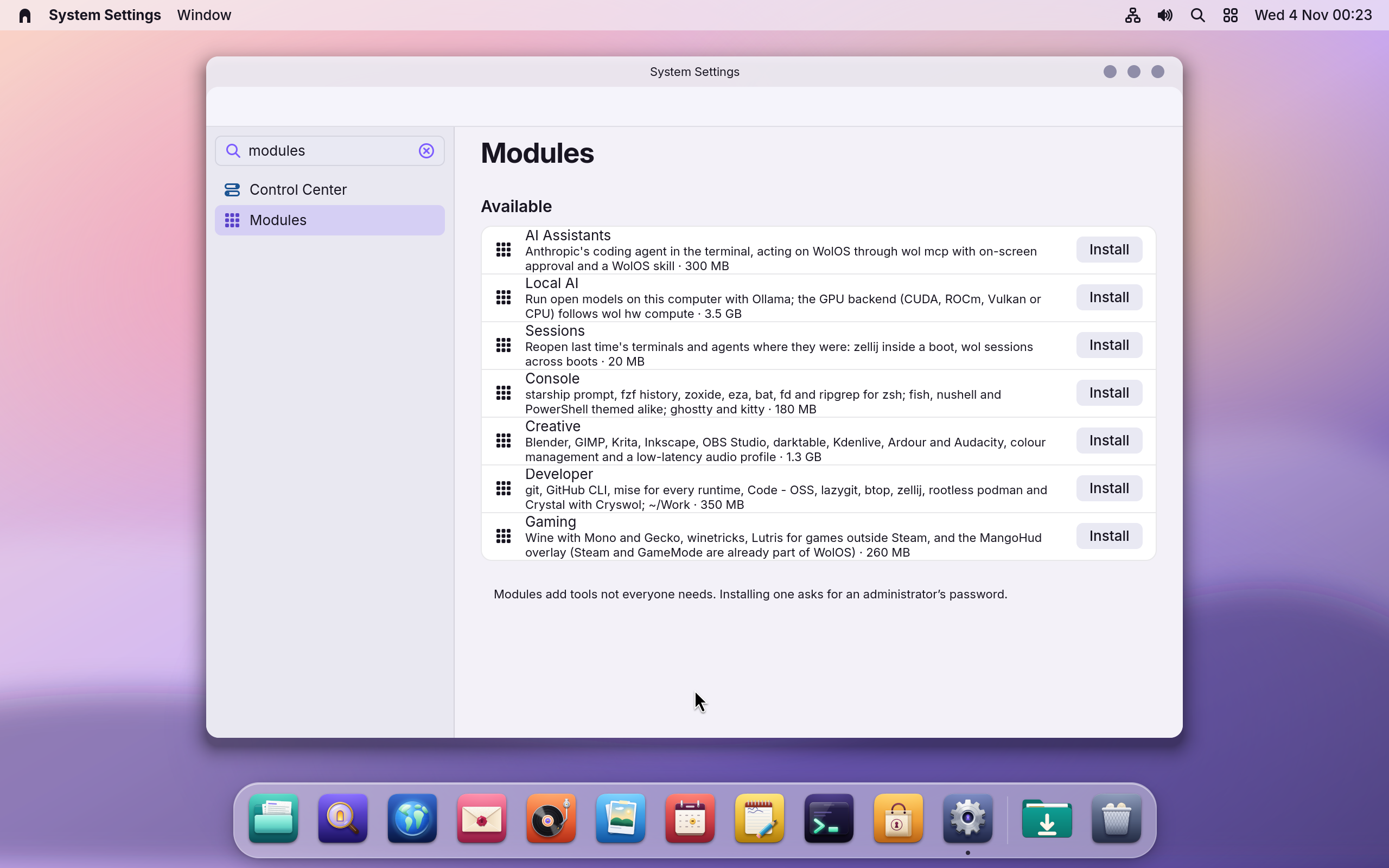
You see a password A small window that asks you to confirm something before it happens, for example Allow or Deny, or your password.: adding apps for every account needs an An account allowed to change things that affect everyone on the computer. The account you make while installing is one..
- Type your password and click Allow. You see the module move to Installed when it is done.
- Open an app from Search: press Super+Space and type its name, for example
krita.
Only one or two apps?
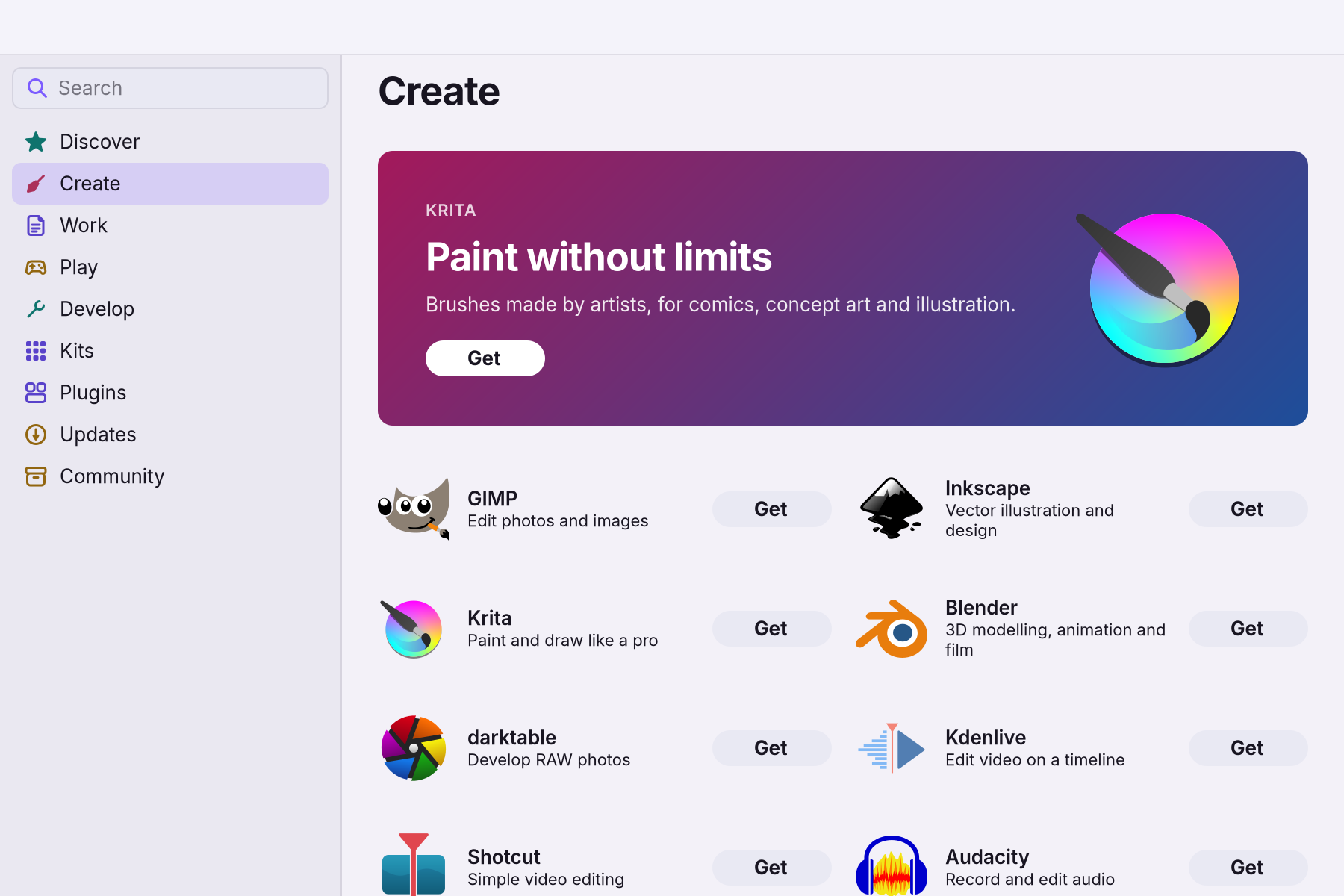
You do not need the whole module. Open the The App Store on the desktop: apps picked for you, Kits and plugins, each installed with one click., choose Create in the sidebar and click Get on the apps you want.
Files from phones and cameras
Videos from phones and many cameras use The way sound or video is packed into a file or sent to a device. A player needs the right codec to play a file. some countries patent, so WolOS does not add them by itself. Add them in one click with the Media Codecs A set of packages for one job that the Store installs in one step, such as Media Codecs.: see Music and video formats.
Sound with small delay
For recording through Ardour, or monitoring a microphone live, set a small buffer in Settings > Sound > Pro Audio: see Low-latency sound.
A worked example
Alice ticks Creative Apps while she installs WolOS. When she first starts her computer a few minutes later, Krita and Blender are already in Search. She presses Super+Space, types "krita" and starts drawing. A month on she needs the space back and removes the module in Settings > Modules; her drawings are still in Pictures.
If something goes wrong
| What you see | What to do |
|---|---|
| The module is listed under Could Not Be Added | It could not be downloaded after several tries. Check that you're online, then click Retry. |
| "The list of modules couldn't be read" | Try again in a minute. The Store's Create page still installs single apps. |
| A phone video does not open in Kdenlive | Add the Media Codecs Kit (Music and video formats). |
| OBS does not hear the game | See Sound for creators: the game can get its own track, apart from your microphone. |
| Colours look different from another computer | Every screen shows colours a little differently. Compare colours on the same screen, or use the colour management inside Krita, GIMP and darktable. |
| You want the space back | Settings > Modules, click the three dots next to Creative and remove it. Your files are not touched. |
Related
Music and video formats · Low-latency sound · Sound for creators · Modules · Store
Related
- Modules: tools for what you doDeveloper tools, AI assistants, creative apps, games and a richer terminal, each added in one step from Settings > Modules and removed in one step.
- Creatives
- Music and video formatsPlay and make MP3, AAC, H.264, HEVC and AC3 files, and get the common fonts, with one click in the installer or the Store. Never added without you.
- Low-latency soundSet the sound delay for recording, live monitoring and music apps in Settings > Sound > Pro Audio, down to 64 samples (1.3 ms), and see dropouts.
- The StoreFind an app, get it with one click, keep it up to date or go back to the version before, add a Kit, and remove what you no longer use.